Groups
Personal group
When you sign up for Qaack you will be assigned a personal group. You can select it on the sidebar.
Creating a group
You can create additional groups to share repositories and variables with your team.
Open the Group dropdown in the sidebar and choose + new group, or open Your groups and click + Add a new group.

The New group form asks for a name and optional members (search by name or email, paste a list, or toggle Admin per row). You are added as Owner automatically.
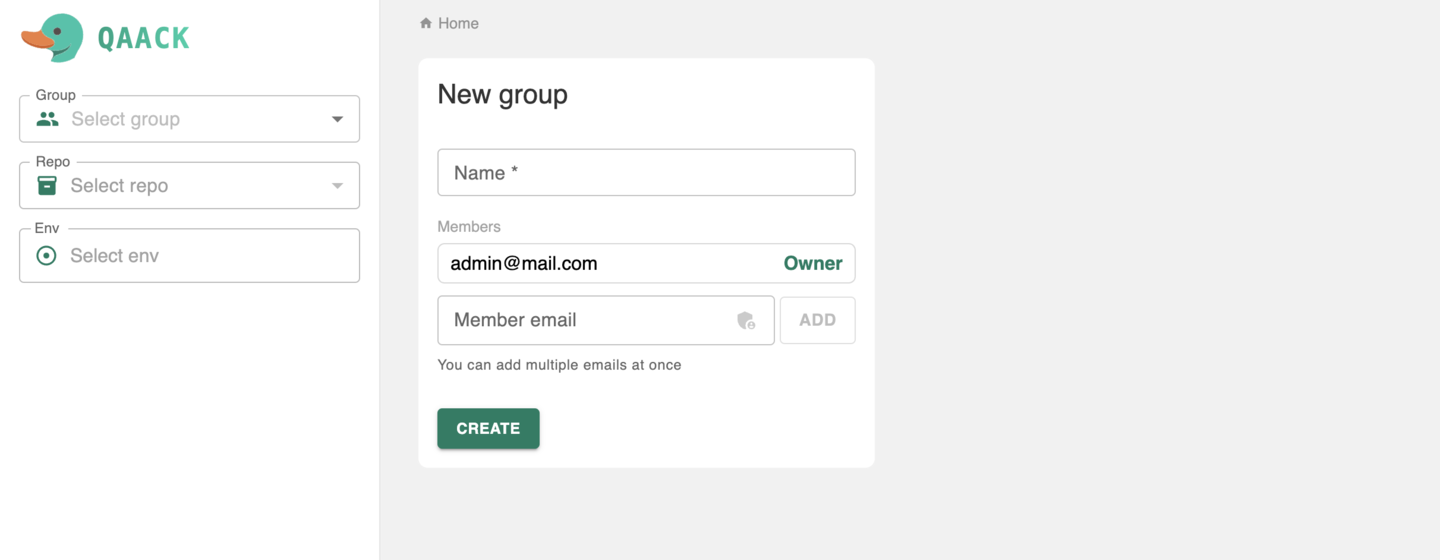
You can add members directly while creating the group: start typing a name or email and pick from the suggestions (the search looks up existing users on this instance), or type a full email and press Add. The email is validated against existing users right away. You can also paste a comma or space-separated list of emails. Use the admin toggle to add a member as Admin instead of Member. You (the creator) are always added as Owner.
Who can do what in a group is in Roles & permissions.
Members and variables
Deleting a group
Admins and Owners can delete a group from group Settings. Deletion is permanent and cascades: every repository in the group (including its environments), plus the group’s configurations and variables, are deleted with it. To confirm, you must type the group name before the delete can proceed.
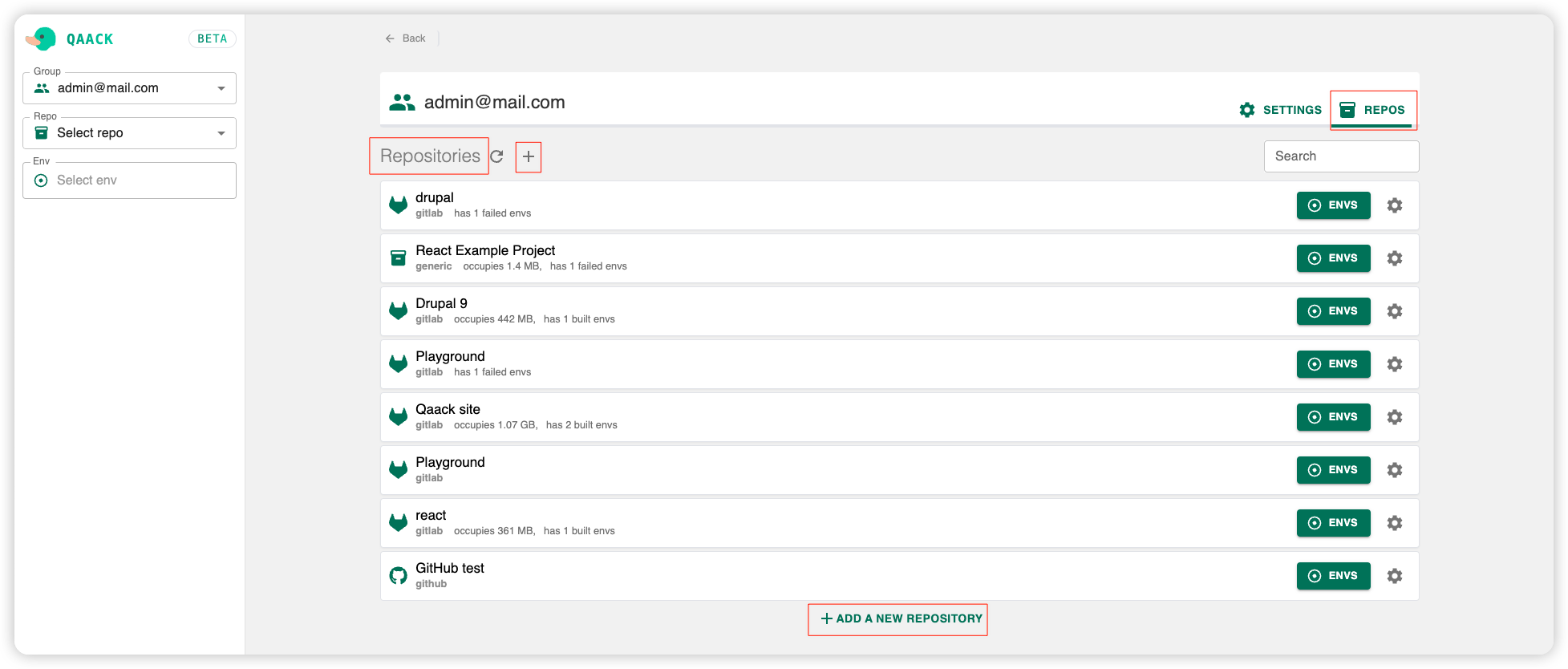
Group repositories
You can see the repos of the group and add new ones. Adding, transferring, and deleting repositories requires Admin or Owner access.
Editing an existing repository’s settings can also be done by a repository maintainer of that repo — they do not need group Admin.