Environments
Building
Open the repository envs tab and pick an Available git ref, or select an empty env from the sidebar. Use Configure environment to set options before the first build.
From the repository Available list you can also create an environment with the + control. You can set the display name, whether to build immediately after create, TTL, and whether to reuse an existing reusable (and which one).
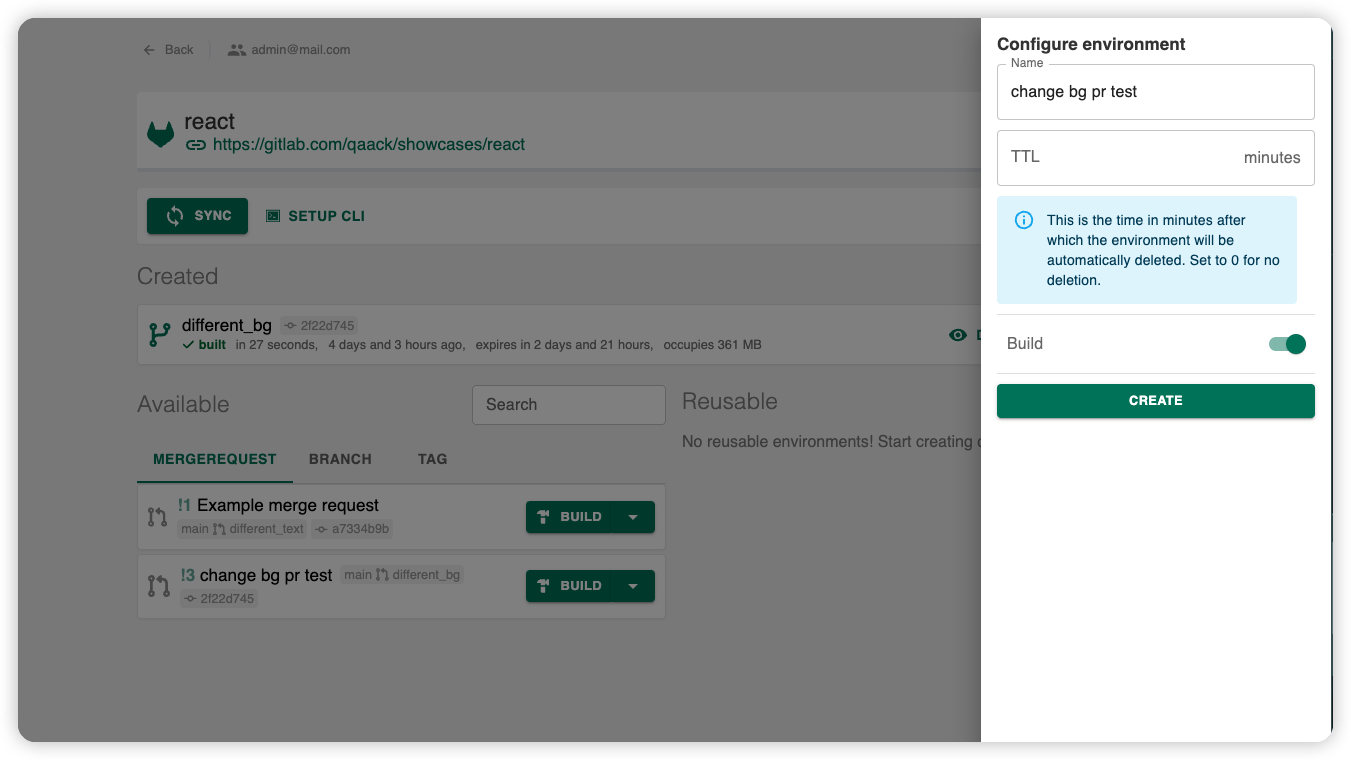
Who can create, build, and rebuild: permission matrix.
Launching
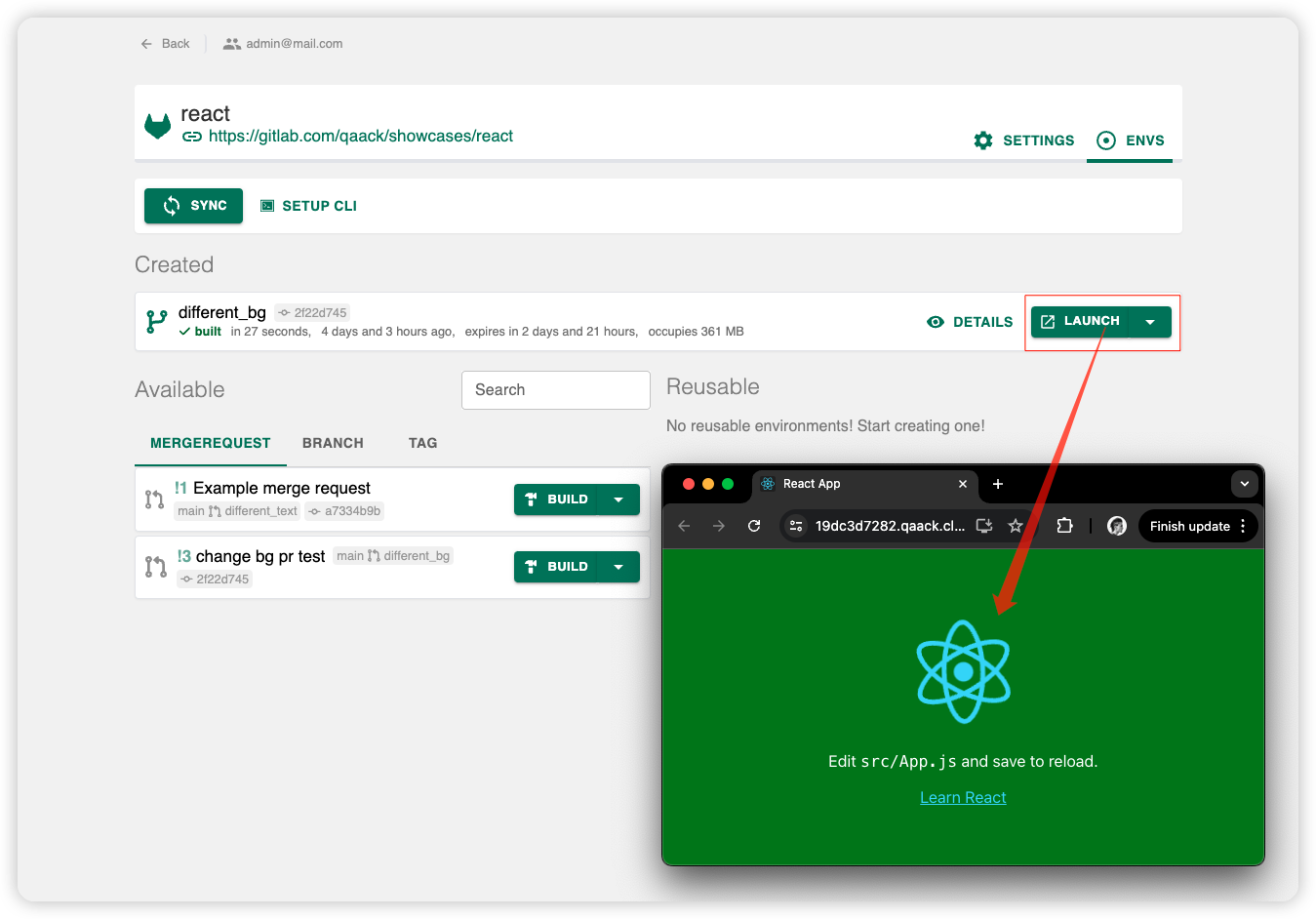
Once an environment is built, use Launch (on the env card, the environment details header, or the sidebar) to open it in the browser.
Environment details
Navigate from the sidebar or from the repo envs list.
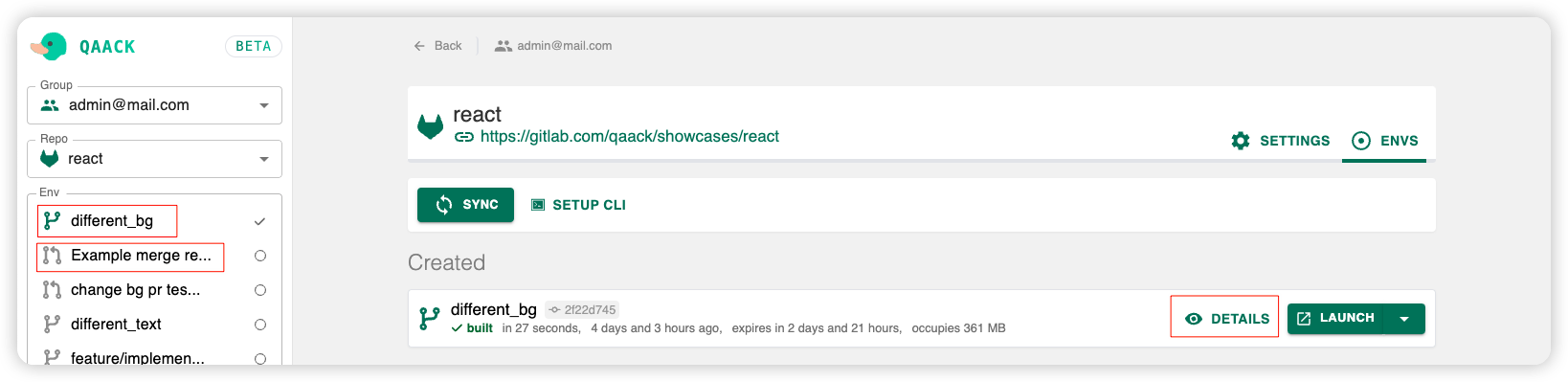
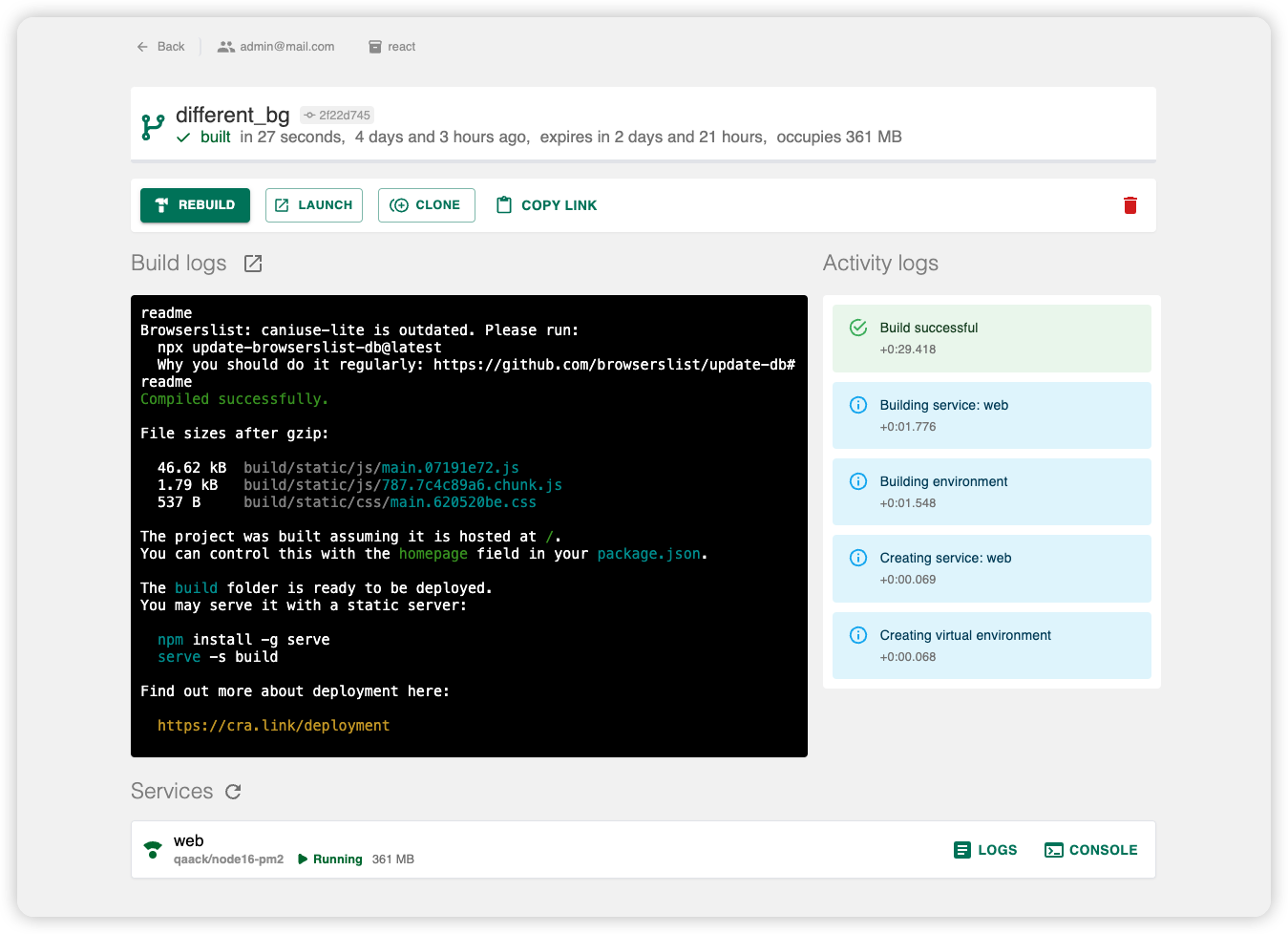
Run actions (build, launch, cancel, stop, …) depending on status. Reusable delete rules: permission matrix.
| Topic | Guide |
|---|---|
| TTL after create | TTL |
| Services, logs, console | Services |
| Lock across rebuilds | Services — Lock services |
Quick actions and automated tests are defined in the Qaackfile: Quick actions, Tests. Test behavior in the panel: Tests concept.
Build Logs and Activity Logs show the build output and actions on the env.