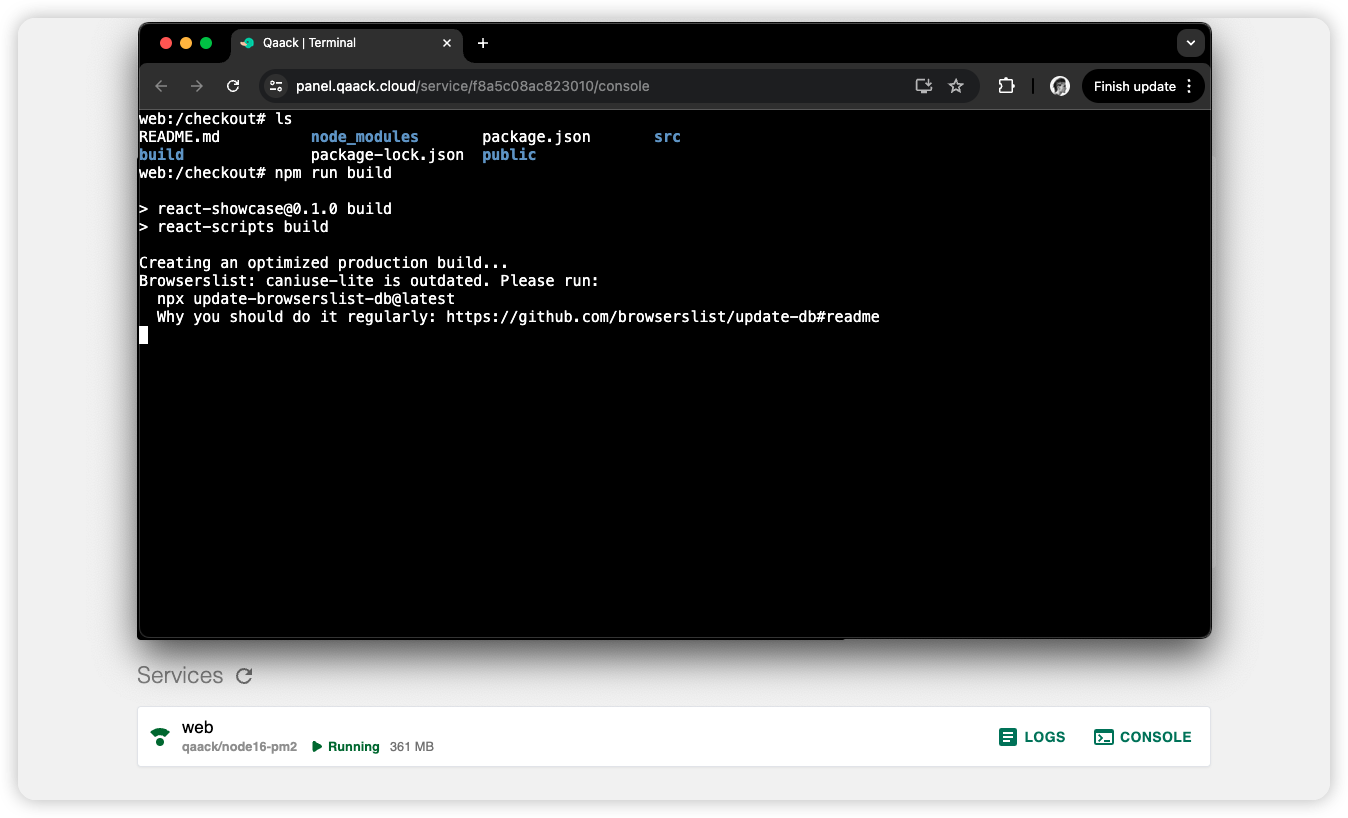
Services (environment)
The Services list at the bottom of the environment details page shows every
service defined for that env. Each row includes the service name and image
(web › qaack/node24-pm2), whether it is Running or Stopped, disk
usage, and any named volumes.
Use the refresh control on the Services heading if the running status looks stale. Any group member can open logs and the console — see the permission matrix.
From a service row you can:
- Lock or unlock the service — see Lock services below
- Open it in the browser, when the service exposes a port and is not the default web service (that one uses the environment Launch URL)
- Open logs or a console (below)
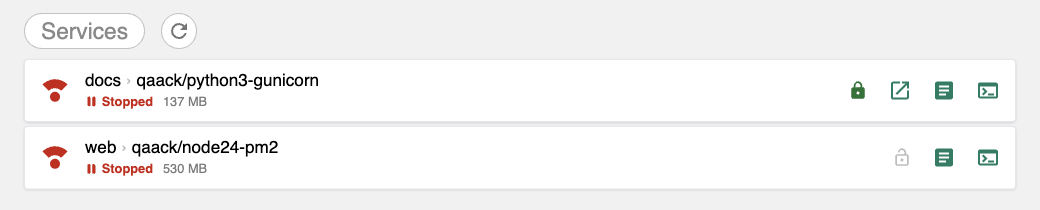
The lock stays filled while the service is locked (docs above) and is faint
while it is not (web). The document icon opens logs; the terminal icon
opens the console.
Concept: Service.
Lock services
The lock icon on a service row keeps that service’s container and volumes across the next rebuild. Unlocked services are recreated; locked ones are left as they are. When at least one service is locked, a rebuild is a soft rebuild.
Typical use: lock the database, rebuild the app service.
- Click the lock icon to lock. It stays highlighted while the service is locked.
- To unlock, click again and type the service name to confirm. Unlocking allows that service (and the data it holds) to be deleted on the next rebuild.
A locked service also blocks manual delete of the environment — rebuild
instead. TTL expiry and git webhooks can still destroy the environment, locked
services included. Full behavior (errors, image changes, QCK_SOFT_REBUILD)
is in Soft rebuilding.
Service logs
Open Logs on a service row to stream that container’s output in a drawer.
Use the launch icon in the drawer header to open the same logs in a dedicated
tab (/service/<id>/logs). Logs are read-only.
Service console
Open Console (terminal icon) on a service row to run commands in that
container. The drawer is an interactive shell; the launch icon opens it in a
dedicated tab (/service/<id>/console).