Repositories
Create a repository
You can add a new repo from the sidebar or the repos list of the group.
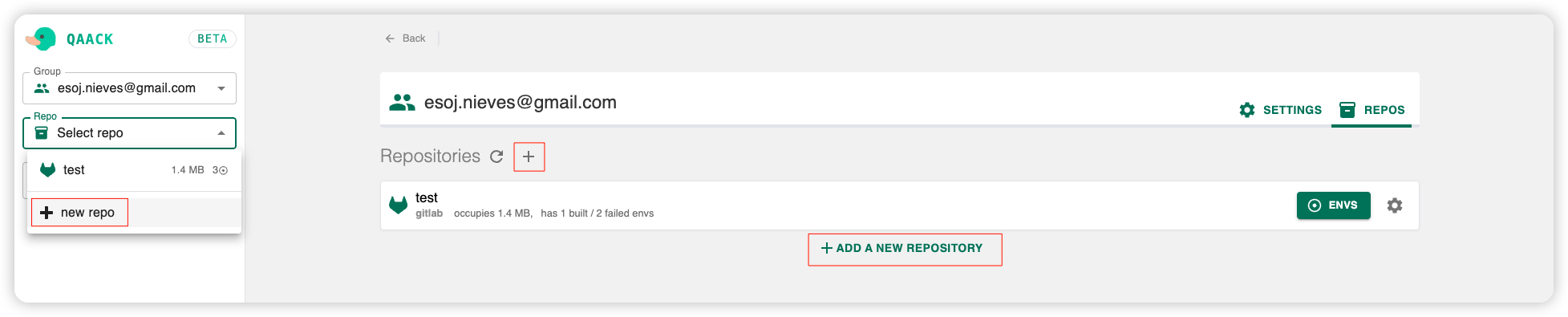
You will be redirected to the repository form.
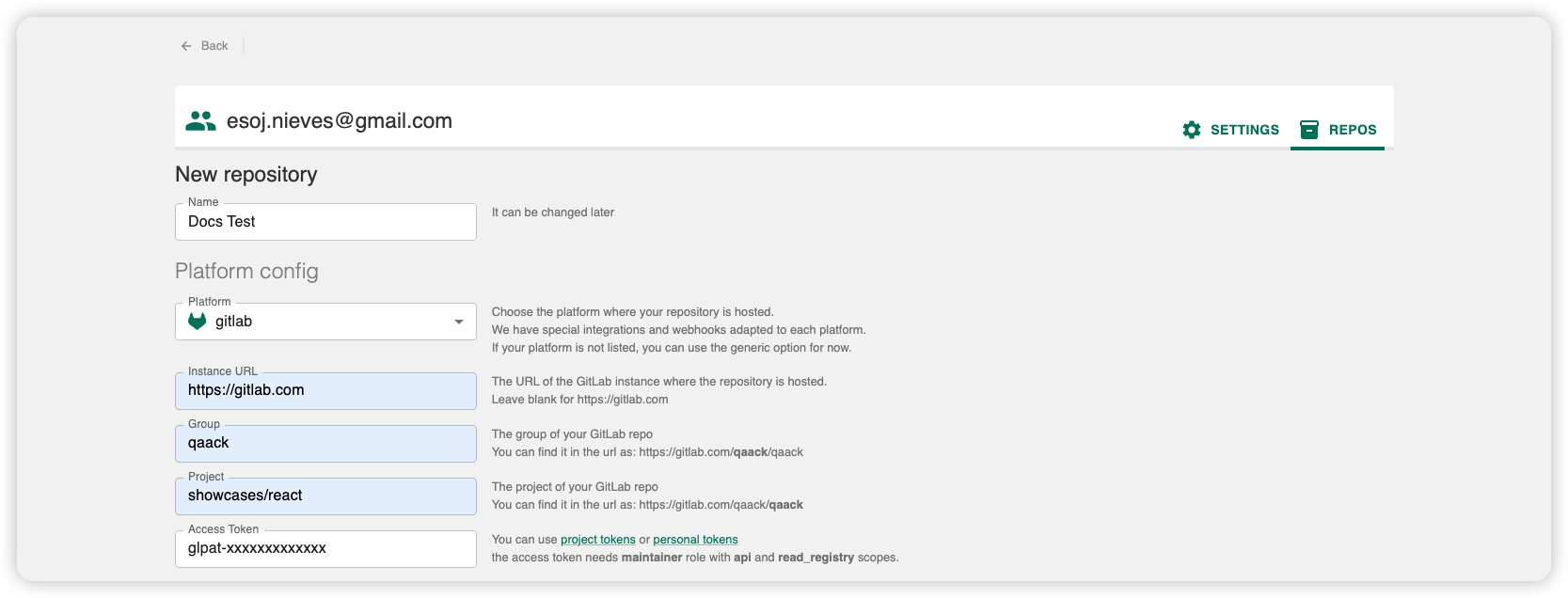
Name and project URL
Set the repository name. Pick the hosting platform with the icon buttons (GitHub, GitLab, Bitbucket, Azure DevOps, or generic git), or paste the project URL and Qaack fills the platform and location in. There are no separate location fields. An access token is still entered by hand. For a self-hosted GitLab instance, the URL includes that host.
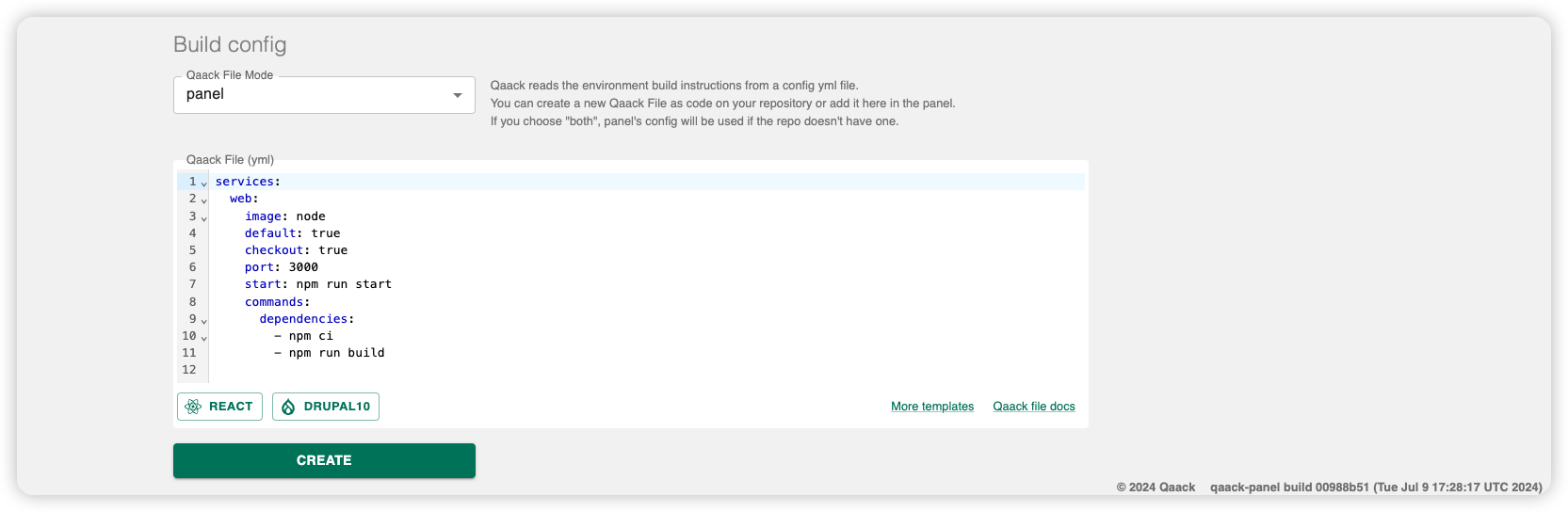
Qaack file source
Decide where Qaack reads qaack.yml for builds:
- repo — from
/.qaack/qaack.ymlon the git ref being built - panel — from the editor in this form (editable later in repository settings)
- both — repo file when present, otherwise the panel copy
See Qaackfile mode and the Build settings guide.
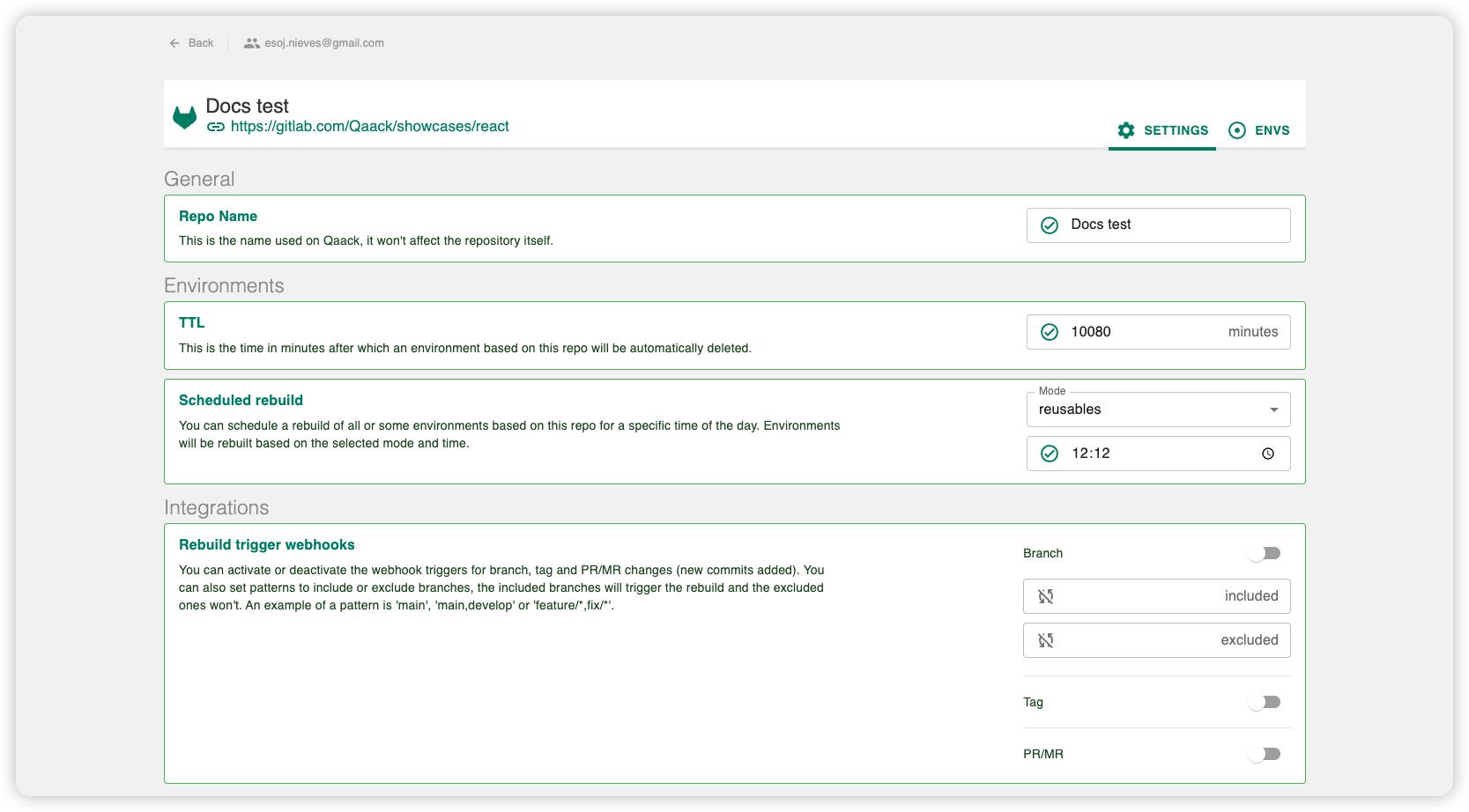
Repository settings
Select the repository, then open the settings tab (gear). Settings are split across tabs — each has its own guide:
| Tab | Guide |
|---|---|
| Build | Build — Qaackfile, default TTL, scheduled rebuild |
| Security & Access | Security & access |
| Integrations | Integrations |
| Private registries | Private registries |
| Variables | Variables |
Who can edit settings: Roles & permissions.
Repo name
Open Settings → General (or the name field on the repository header). The display name on Qaack. Changing it does not rename the git project.
Transfer
Move the repository to another group you administer (Owner/Admin of both the current and destination groups). Environments and repository settings stay as they are — only the group membership changes.
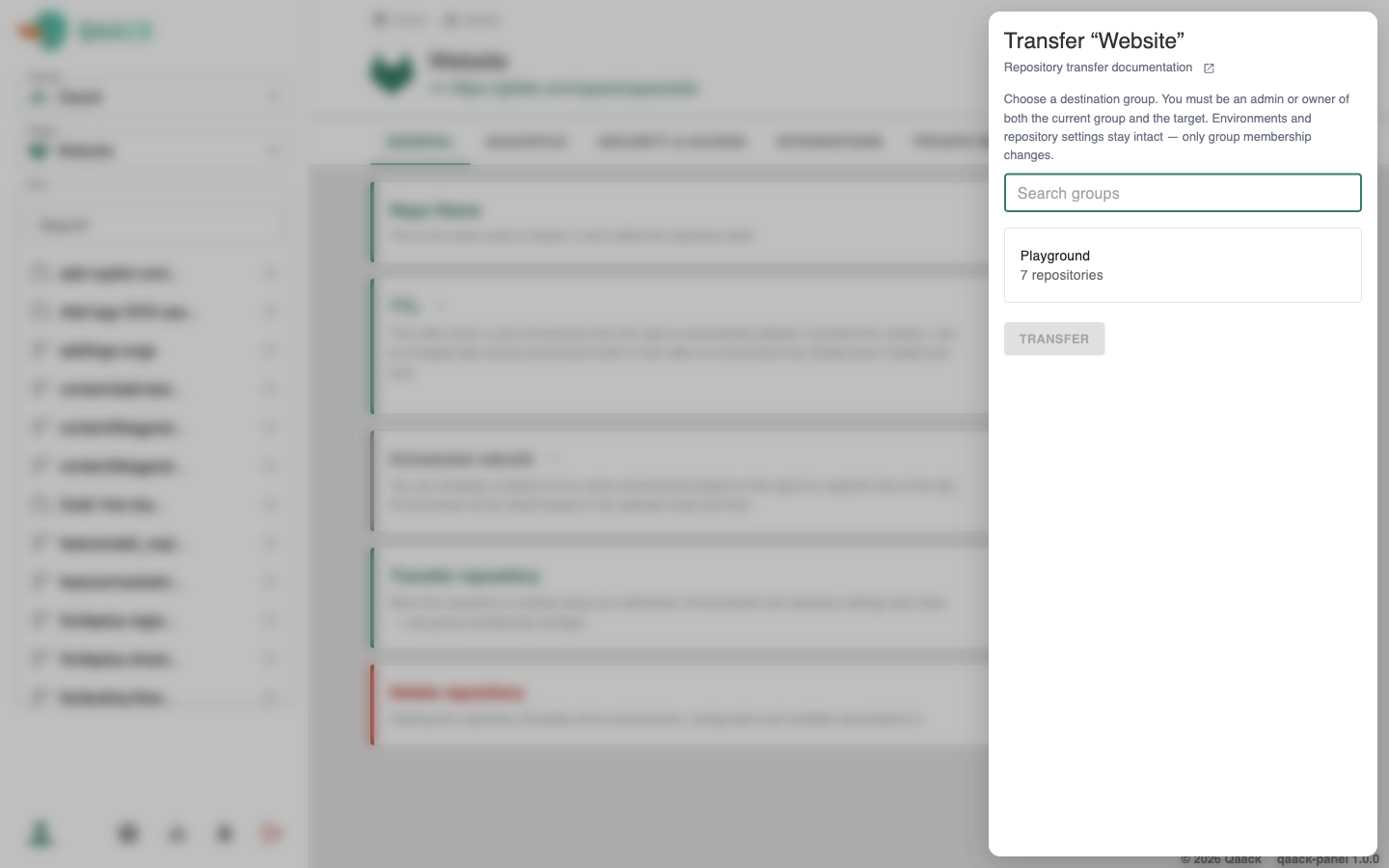
If some maintainers are not members of the destination group, the transfer drawer asks whether to invite them into that group or remove their maintainer role.
Delete repository
Deletes the repository and all of its environments, configuration, and variables. Confirm by typing the repository name. Owner/Admin only.
Repository environments
Go to the envs tab on the repo details page.
Sync git refs (branches, tags and PR/MRs) with Qaack. They appear as available environments in the envs list. Use the build button for a quick build.
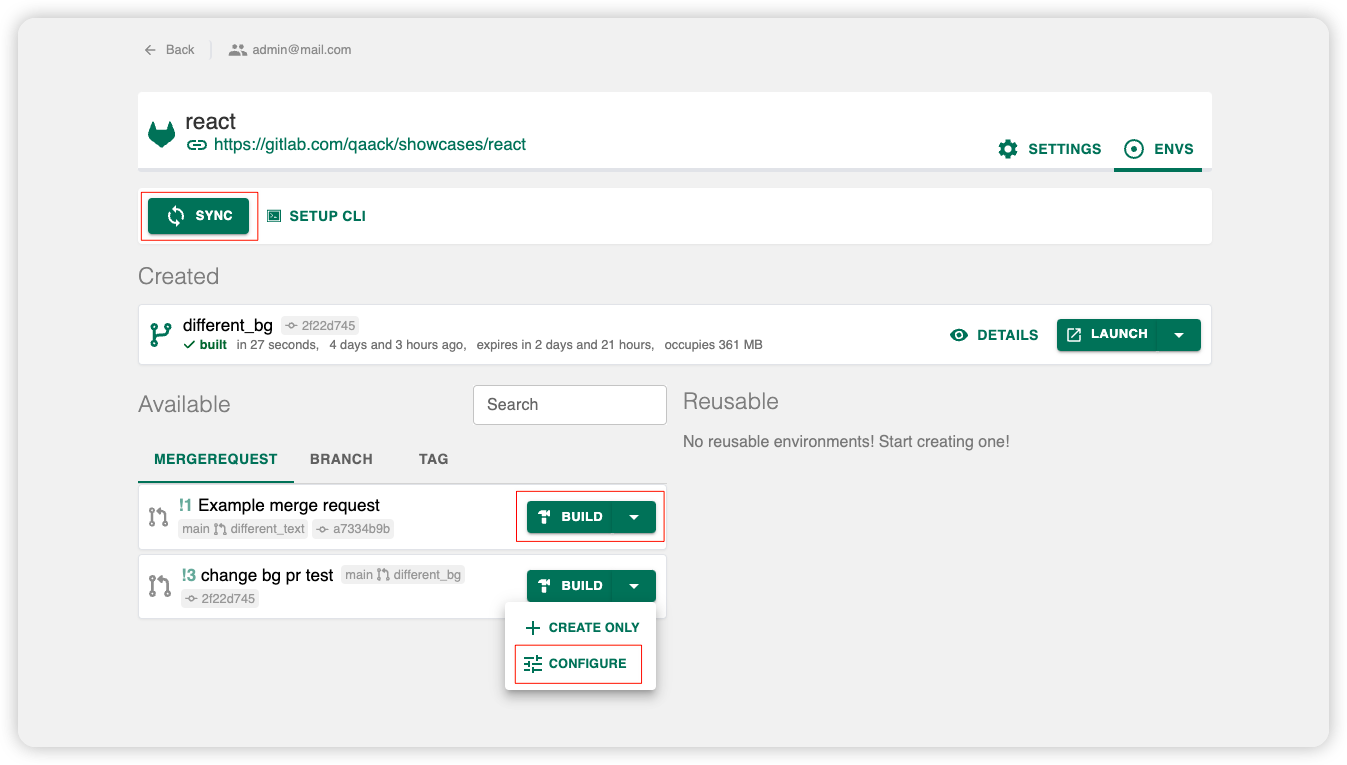
To configure a build before creating an environment, or to launch one that is already built, see Environments.